How to add laser eyes to a photo
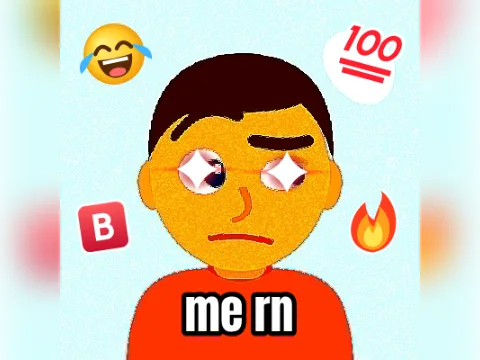
The laser eyes meme started as a profile-picture trend: glowing red eyes that say “nothing can stop me now”. This laser eyes generator goes one step further and animates them, so the beams fire, cut out, recharge and blast back on a loop.
- Add a photo with a faceTap Add your photo. DropGIF looks for faces right in your browser and puts a laser on every eye it finds, even in a group photo. The note under your photo says how many faces it found.
- Line them up if neededIf no face is found (a pet, a drawing, a face turned away), the lasers sit where a centred face's eyes usually are. Drag the photo in its slot and use the zoom slider to put the eyes under them.
- Pick a style and a colourLaser beams fire twin beams that sweep and blast back with a flash. Glowing eyes is the classic profile-picture look: bright flares with turning rays. Then choose Red, Blue, Green, Gold or Pink.
- Add a caption (optional)Type up to 24 characters, like “locked in” or “to the moon”, and it appears in bold meme lettering at the bottom.
- Make my GIFTap Make my GIF to build the GIF on your device, then download it or share it.
Ideas for your laser eyes meme
- Profile pictures: the GIF is a 400×400 square, the size X recommends for profile pictures. Discord plays GIF avatars for Nitro members.
- Game night: your squad's group photo, every face firing at once, before the final round.
- Big announcements: the boss, the new hire or the person who just closed the deal, in gold.
- Pets: no face found on your cat? Drag the photo until its eyes sit under the lasers.
- Exam season: a selfie with blue lasers and “locked in” the night before a final.
Want the photo itself to react? The vine boom zoom punches in on a face, the deep fried meme maker fries it with glowing eyes and stickers, and the explosion GIF maker blows it up.
Beams or glowing eyes
Laser beams is an animated laser eyes GIF in four beats: the beams fire, cut out, charge up with growing glows, then blast back with a flash and a kick. The beams fan out and down from each eye and follow the tilt of the head.
Glowing eyes keeps the photo calm and makes the eyes the whole show: pulsing lens flares with a streak along the eye line and slowly turning rays. It's the look people mean when they ask for laser eyes on a profile picture, just animated.
The photo layer stays still between blasts, so the GIF stays small enough for Discord and group chats. The size under the button updates as you change things.
Your photo stays on your device
The face finder runs inside your browser. The first time you use it, your browser downloads a small face-detection model (about 230 KB); after that, it works on your device, and your photo is never uploaded. More reaction formats are waiting in the GIF templates gallery.